The problem
Textbook Japanese and the Japanese people actually speak are far apart. Videos close that gap, but a learner who pauses at every unknown word, copies it into a dictionary and comes back has stopped watching.
NihongoGo keeps the learner in the video. Everything they need happens on the subtitle line in front of them.
What it does
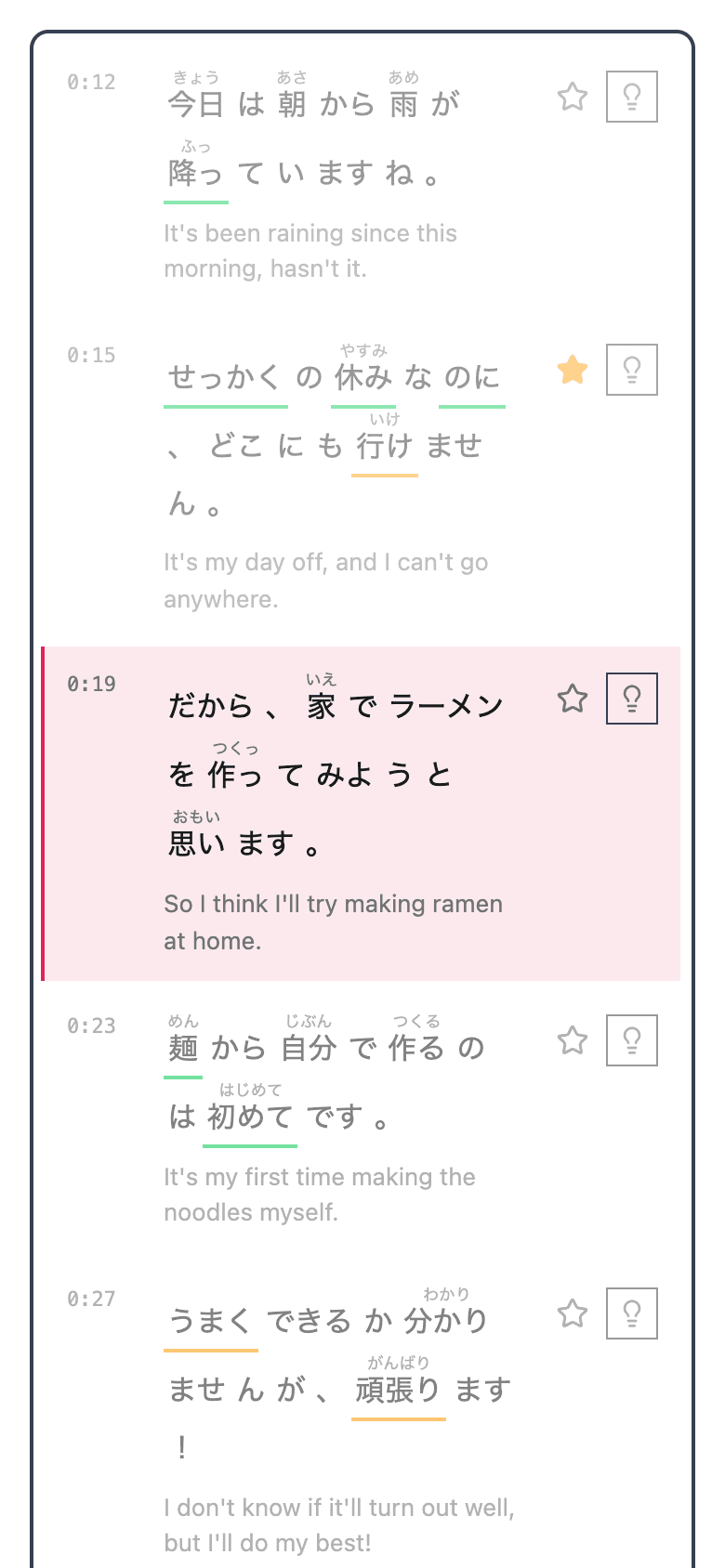
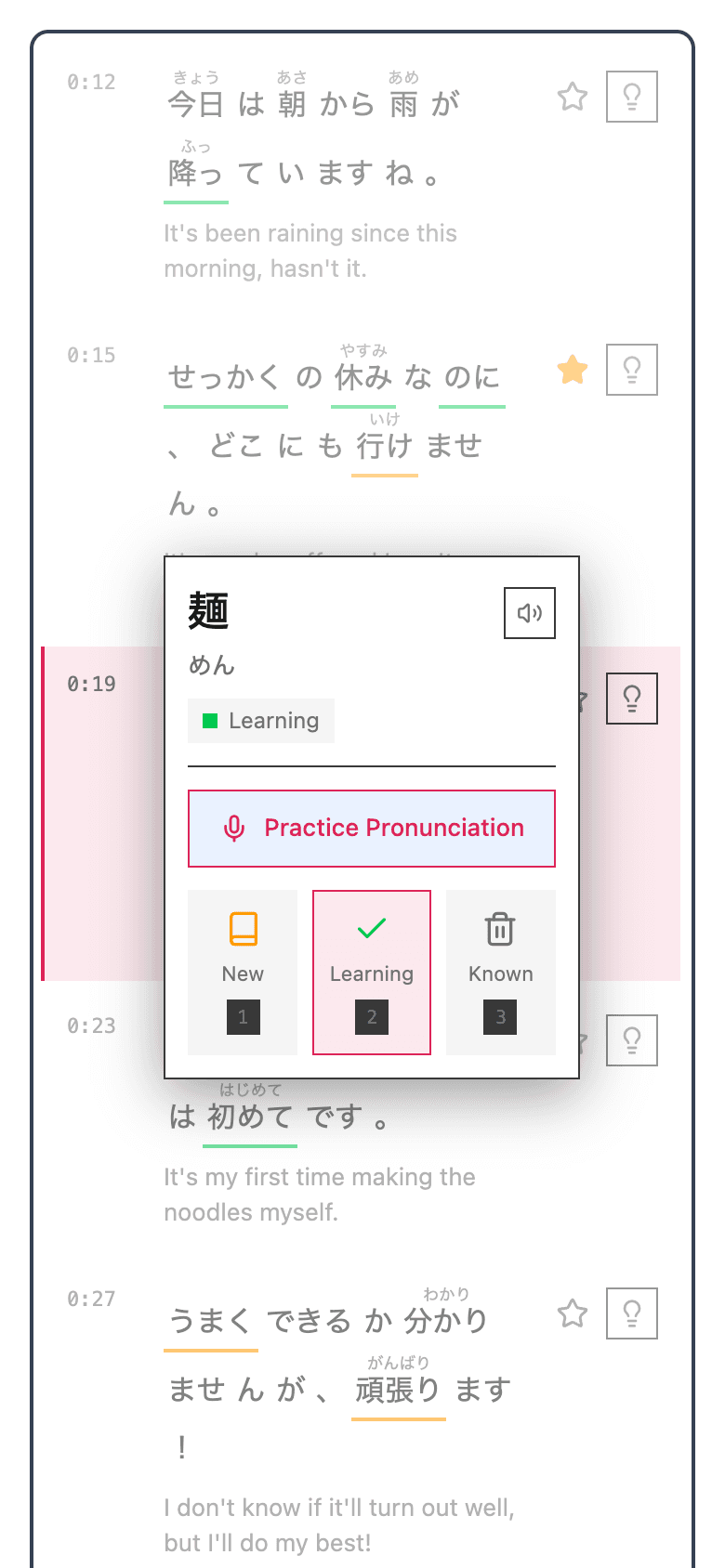
- Every word is clickable. Paste a YouTube link and each subtitle line is split into words. Click one to see its dictionary form and reading, hear it, and mark it New, Learning or Known, with keys 1 to 3 and an undo.
- Furigana you can turn off. Readings sit above the kanji, and the words you have not marked Known stay underlined in the colour of their state.
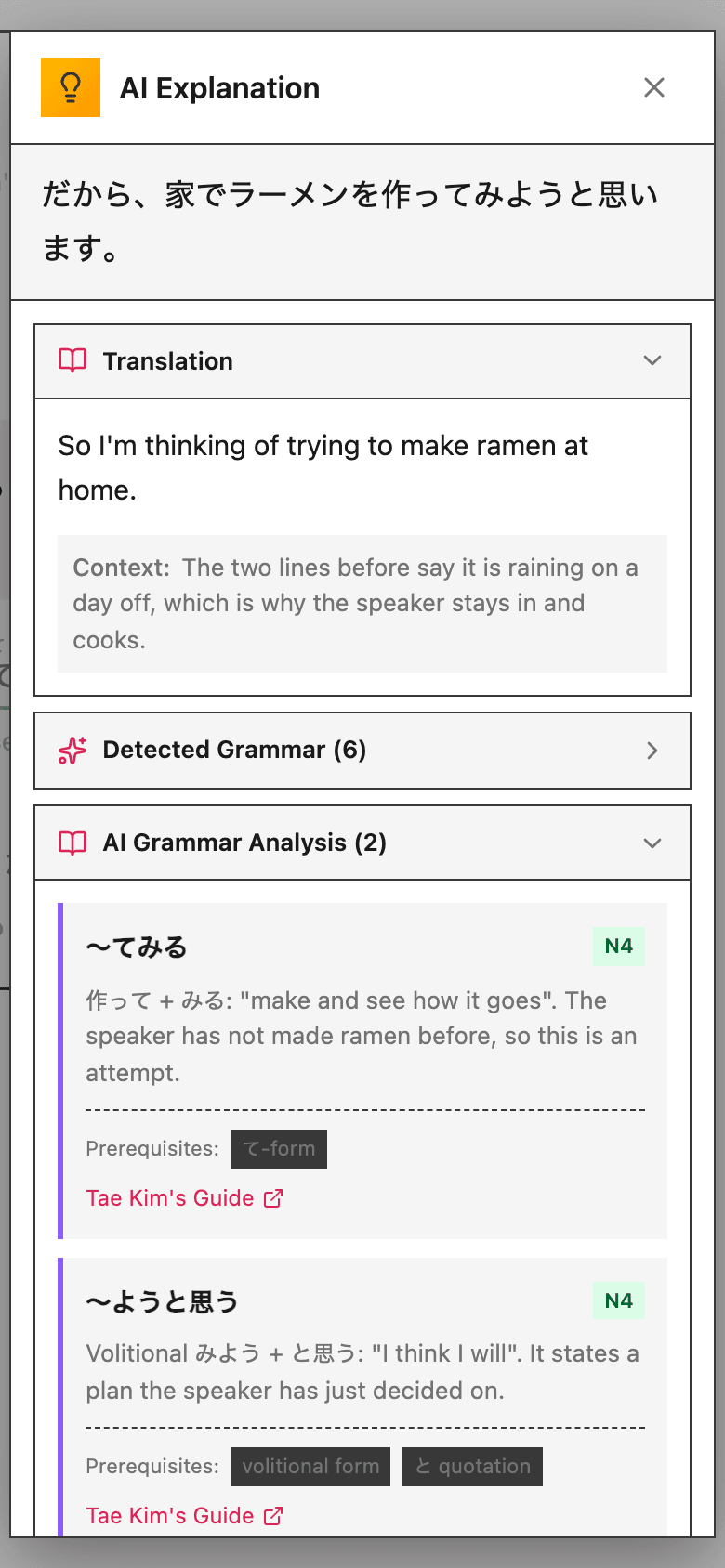
- Explain this line. Claude reads the line together with the lines around it. It returns a natural translation and the grammar used, each point with its JLPT level and a link to Tae Kim's guide.
- Review what you saved. Saved words and sentences come back on a spaced-repetition schedule.
- It follows you to YouTube and Netflix. A Chrome extension puts the same clickable subtitles on top of the real players.
Decisions
Human captions first
Many videos have both captions written by people and captions generated by YouTube. The app takes the human Japanese track when there is one. It then pairs each Japanese line with the English line that starts within half a second of it, so the translation under a line belongs to that line.
Split words once per video
Japanese has no spaces, so finding the words takes a morphological analyser. kuromoji finds each word, its dictionary form and its reading, and the result is saved with the subtitle line. A video is analysed once, and every later visit just reads the saved words.
Explanations are cached per line
An explanation is stored against the subtitle line and the user. Opening the same line again costs nothing and returns the same answer.
Two review schedules
Reviews use FSRS, a spaced-repetition scheduler, with two caps. Words still being learned never wait more than 7 days, so they cannot drift out of reach. Words marked Known can wait up to 90.
The extension stays out of the page's way
The extension draws its interface inside a Shadow DOM, so YouTube's and Netflix's styles cannot break it and its styles cannot break theirs. Changes go into a queue in the browser's storage first. Repeated changes to the same word collapse into one, and watch time adds up per video until it syncs.
Where it stopped
NihongoGo is a prototype from January 2026. To open it to real users, four things move to a server:
- the Claude calls, so the API key is not in the browser;
- the caption fetch, which YouTube does not allow from another site;
- the word splitting, because kuromoji's default loader expects Node;
- the database access, so each request carries the signed-in user and the per-user security rules can check it.
Its database has since been deleted, so the screenshots above render the app's own components with sample lines. The words, readings and grammar matches in them come from the app's code; the explanation is written in the shape Claude returns.